Can the Eye camera share its view live?
A candidate-list question from the client side: the EYE camera cannot be selected as a video source in Teams. We checked the XREAL SDK docs and the product pages. Here is the answer, with the proof.
The question
What we were asked to check
Short answer: on a PC the Teams finding is correct, there is no official webcam mode. But three live paths exist: an official beta camera feature on the Beam Pro (proven with ChatGPT and Google Lens, Teams untested), a custom app built with the XREAL SDK, and an unofficial hidden UVC webcam mode found by community developers. The evidence is below.
The bottom line
Can Teams open the Eye? One view
| Setup | Answer | How sure |
|---|---|---|
| Teams on a PC or a normal phone, with the glasses plugged in | ✕ No. The Eye never appears in the camera list. The original finding is correct here.4 | Certain |
| Teams on the Beam Pro, after the My Glasses v1.10.0 update | ○ Probably yes. The official beta feature already feeds the Eye to ChatGPT and Google Lens. Teams itself is not demonstrated yet.1412 | Likely, test it |
| Teams on a Windows laptop via the hidden UVC webcam mode | △ Maybe. The mode is real and proven on Linux. Windows is untested, and it is unofficial.7 | Possible, unproven |
One five-minute check settles it: on an updated Beam Pro, enable the beta camera feature, open Teams, and look at the camera picker.
The verdict
Three findings, one line each
Teams and Zoom cannot use the Eye out of the box
By default the Eye feed is not exposed as a normal camera. On a PC and a phone it never appears in the camera list, and no official webcam mode exists in the docs or the product pages as of July 2026. The Beam Pro is the exception since a September 2025 beta update, see below.41
An official beta path exists on the Beam Pro
The My Glasses v1.10.0 update (September 2025) lets apps on the Beam Pro use the Eye as their camera. Videos show it feeding ChatGPT's live camera and Google Lens. Nobody has demonstrated Teams yet, so that exact check is the first thing to test on a loaned unit.141213
A hidden UVC webcam mode exists in recent firmware
Community developers found that firmware 15.1.03.232 and newer contains a sleeping UVC camera mode. One USB command switches it on, and the glasses then appear as a standard webcam. This is proven on Linux and Android at up to 2048x1512, 60fps. Windows is untested, and XREAL does not support or document it.78
A custom SDK app can stream it live
The XREAL SDK gives a Unity app the RGB camera images in real time. We would add our own streaming layer (for example WebRTC) to send the view to a remote expert. This is a documented path with an official sample.1
The SDK also ships a demo-grade LAN streamer
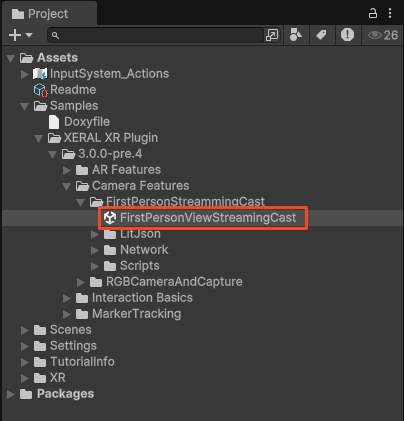
First Person View streaming sends the view to a PC running XREAL's receiver app on the same wifi, with the firewall off. Good for a booth demo, not for real remote assist between sites.2
The marketing trap
Why XREAL's page says you can "share"
XREAL's Eye page says: "Pair with Beam Pro to capture what you see in AR and share your perspective with the real world." This is the exact sentence that creates the wrong expectation. Watch what the feature really is:4
What "share" really includes4
- Record 12MP photos and first-person video
- Record mixed-reality video with the Beam Pro (real view plus virtual screens)
- Send the recorded file to people afterwards
The proof
What the XREAL SDK docs actually say
1. Real-time camera access exists, and it is exclusive to the Eye on the One series:
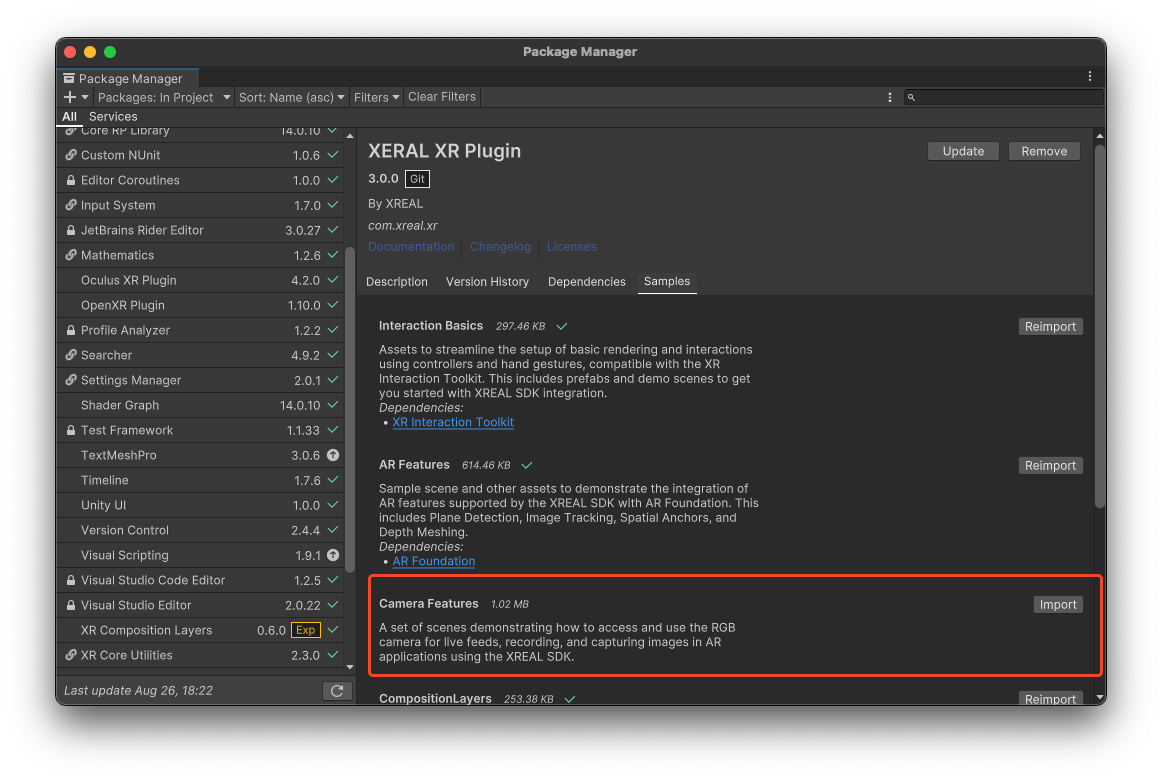
2. The official Unity plugin ships a sample named Camera Features that says the words that matter, "live feeds":
3. The SDK includes a first-person-view streamer, and its limits show it is a demo tool:
Developer evidence
Proof that a live stream can be built
xreal-eye-stream (GitHub, Apr 2026)
"Stream the XREAL One Pro Eye camera to a Linux PC over USB-C. No phone, no SDK, no Android. The glasses expose a standard V4L2 webcam after a one-time HID enable command." MJPEG 1920x1080 at 60fps or HEVC up to 2048x1512, with MCU firmware 15.1.03.232 or newer. github.com/AlfaKeNTAvR/xreal-eye-stream ↗
Eye RGB camera on Android (GitHub, May 2026)
A test app that reads the Eye camera "directly via USB, without the official XREAL Glasses Control app or Unity SDK" and decodes the live feed at 2048x1512, about 60fps. Confirmed working on a Samsung Galaxy S26 Ultra. github.com/Aloim ↗
Grayscale feed to Windows (GitHub, Jun 2026)
Streams the stereo tracking cameras (512x378, grayscale) to a Windows PC over the glasses' USB network interface. Lower value for our use case, but it shows live feeds reach Windows too. github.com/Aloim ↗
Honest caveat
- Reverse-engineered hobby projects by single developers
- XREAL does not support this mode and could remove it in any firmware update
- Proof of feasibility and test items, not a product plan
Why it matters
- The One Pro needs a tethered host anyway
- If the enable command works on Windows, the Eye becomes a plain webcam and Teams could select it directly, with no custom app
- The check takes minutes: update the firmware, run the enable tool, open the camera list in Teams
The three paths
Where Teams fails, and where it can work
The hardware it takes
Path 3 is not the glasses alone
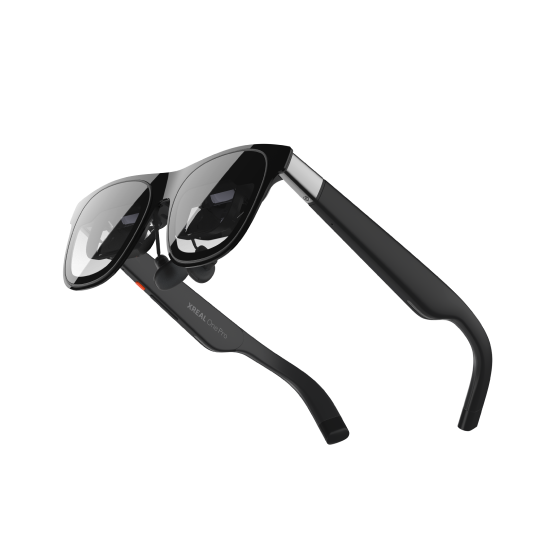
XREAL One Pro
Tethered display glasses, $599
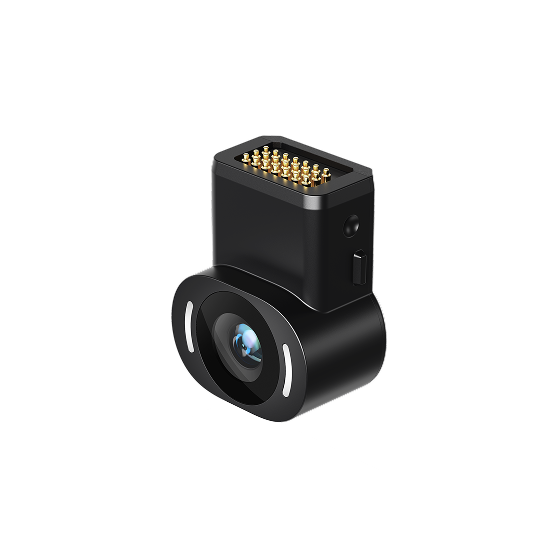
XREAL Eye
Clip-on 12MP camera, $99
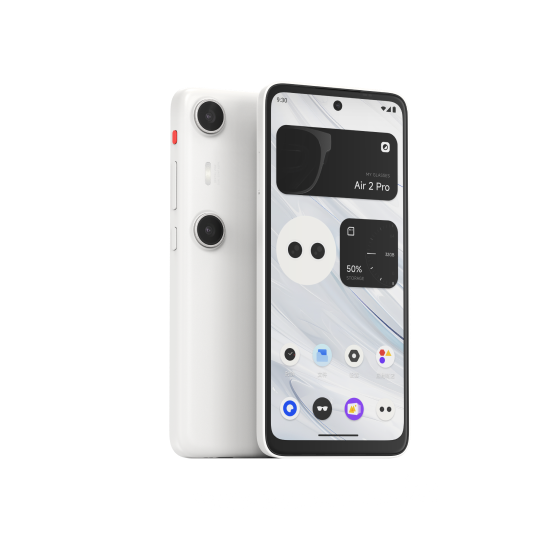
Beam Pro or Samsung S24 / S25
The host that runs our app
The SDK app cannot run on the glasses. XREAL's compatibility page lists only the Beam Pro and Samsung's S24 and later flagships as supported hosts. So the working stack is glasses plus camera plus a host device plus our custom app. Product images from xreal.com ↗3
The decision
What this means for the candidate list
| If the requirement is | Result | Why |
|---|---|---|
| The Eye feed appears in Teams as a camera | ✕ Fails, remove | The feed is never exposed to the OS. No setting or update changes this today.4 |
| A remote expert sees the worker's view live, by any means | ○ Passes, custom build | A Unity app with the SDK's real-time RGB access plus our own streaming layer. Same custom-build gate as the RayNeo, plus a host device.13 |
| The Eye feed appears in Teams via the hidden UVC mode | △ Test first | Community tools show a sleeping UVC webcam mode in recent firmware, proven on Linux and Android. Windows is untested, and it is unofficial with no vendor support.78 |
| Teams on the Beam Pro uses the Eye via the official beta camera feature | △ Probable, test it | An official beta update already feeds the Eye to ChatGPT and Google Lens on the Beam Pro. Teams itself is not yet demonstrated, so confirm it in the camera picker before deciding.141213 |
Sources
Checked 3 Jul 2026
- 1XREAL SDK: Access RGB Camera ↗Real-time RGB access, Eye on One series only
- 2XREAL SDK: First Person View ↗LAN streaming to StreamingReceiver.exe
- 3XREAL SDK: Compatibility ↗Hosts: Beam Pro, Samsung S24 / S25 flagships
- 4XREAL Eye product page ↗"Capture and share", Beam Pro needed, no live mode
- 5XREAL developer downloads ↗Enterprise SDK gates gray-camera and IMU data
- 6Our One Pro device pageThe full device story and ratings
- 7xreal-eye-stream (GitHub) ↗Hidden UVC webcam mode on Linux, MJPEG 1080p60, HEVC 2048x1512
- 8Eye RGB camera on Android (GitHub) ↗Live Eye feed on Android via USB, no SDK, 2048x1512 60fps
- 9Grayscale feed to Windows (GitHub) ↗Stereo tracking cameras streamed to Windows (Nebula beta)
- 10Mac Fan: XREAL Eye review (Japanese) ↗Capture to storage, USB file transfer, 60-second clips
- 11Team AIxR: XREAL Eye hands-on (Japanese) ↗Same file workflow, no live path mentioned
- 12Video: ChatGPT with XREAL Eye (Beam Pro) ↗Live Capture update demo, Eye feeds ChatGPT's camera, Sep 2025
- 13Video: Beam Pro + Google Lens and ChatGPT ↗The update unlocks the Eye camera for apps, Oct 2025
- 14XREAL: My Glasses v1.10.0 announcement (Reddit) ↗Official changelog post for the beta camera feature